
Everyone remembers their first Shiny app. Mine was Old Faithful: one slider, one histogram, a complete interactive application in a few lines of R. It is still the app I reach for when I want to explain what Shiny is.
It is also old faithful in another sense: dependable, familiar, and exactly the UI we have all seen before.
We’re excited to introduce shinyreact, a new package for R and Python that lets you keep Shiny for what it is best at, reactive computation, while building the interface in React, the largest UI ecosystem on the web.
Who owns the UI?#
In a traditional Shiny app, R or Python owns both the UI definition and the reactive computation.
ui <- bslib::page_sidebar(
  sidebar = bslib::sidebar(
    sliderInput("bin_count", "Number of bins:", 1, 50, 30)
  ),
  plotOutput("distPlot")
)

server <- function(input, output) {
  output$distPlot <- renderPlot({
    x <- faithful$waiting
    breaks <- seq(min(x), max(x), length.out = input$bin_count + 1)
    hist(x, breaks = breaks)
  })
}
For an app like this, the server-side UI is wonderful. bslib gets you from nothing to something you can be proud of with a handful of functions.
Then a request comes in. A distinctive interface. Richer interaction. A component from a modern design system. There is no bslib function for it, so you reach for this.
ui <- bslib::page_sidebar(
  tags$head(tags$style(HTML("
    .stat-card { display: grid; gap: .5rem; cursor: pointer; }
  "))),
  tags$script(HTML("
    $(document).on('click', '.stat-card', function() {
      Shiny.setInputValue('card_clicked', this.dataset.id);
    });
  ")),
  uiOutput("cards")
)
How many of you have written JavaScript or CSS inside a string like this? Ten lines? A hundred? Look at what your editor shows you: the R around it is highlighted, and everything inside the quotes is one flat color. To R, it is text. Your editor thinks it is a string. Your linter, your formatter, your tests, and your diff all think it is a string.
It’s a program. You are already writing JavaScript. You are just writing it in the one place where nothing can help you.
I do not want to replace Shiny. The reactive data model is your domain expertise. I want to keep Shiny for reactive computation and use a modern UI ecosystem for the interface. React is not adding JavaScript to your app. It is taking the JavaScript you already wrote out of the string.
Why React?#
React describes itself as “the library for web and native user interfaces.” You build interfaces out of individual pieces called components, and a component is a function that returns HTML-like markup.
function Stat({ label, value }) {
  const name = label.toUpperCase();
  return (
    <div className="stat">
      <span className="stat-label">{name}</span>
      <span className="stat-value">{value}</span>
    </div>
  );
}

<Stat label="Eruptions" value={272} />
<Stat label="Bins" value={30} />
Components draw data’s state. You describe what the page looks like for a given state, and React works out the difference when the state changes. Old Faithful is the whole idea in one picture: the same 272 waiting times go in, bin_count reduces them to a bins array, and that array is the chart. Change the number and every bar moves. Nobody writes code to add, remove, or resize a bar.
Here is Old Faithful with no Shiny at all, in pure React, with the data baked into the page:
function App() {
  const [binCount, setBinCount] = useState(30);
  const bins = useMemo(() => bin_data(waiting, binCount), [binCount]);

  return (
    <main className="layout">
      <label htmlFor="bin_count">Number of bins:</label>
      <input id="bin_count" type="range" value={binCount}
             onChange={(e) => setBinCount(Number(e.target.value))} />
      <Histogram bins={bins} />
    </main>
  );
}
binCount is the only state in the app. bins is derived from it, and React recomputes it when, and only when, binCount changes. Hold on to those two lines at the top. In a moment, the only thing that changes is where they get their values from.
Why React specifically, and not any other framework?
- Massive adoption. Tens of millions of repositories on GitHub depend on React, and the
reactpackage alone is downloaded more times in a week than Shiny has been in its entire life on CRAN. - Proven component libraries. Design systems, charts, tables, and maps, all ready for production and all one
npm installaway.
And why Shiny plus React?
- 🚫 Hand-rolled HTML and JavaScript in Shiny works right up until the app gets big, and then you are the framework.
- 🧰 Use the proper tool for the job. I’m happy to do car maintenance with a multitool, but the proper tool saves time, effort, and the skin on your knuckles. React is what the rest of the world reaches for when a UI outgrows being hand-assembled.
- 🤖 AI excels at well-known frameworks. An LLM has seen millions of React components and approximately none of your bespoke
tags$div()scaffolding. Building on a well-known framework is the difference between an assistant that helps and one that guesses.
What shinyreact does#
Shiny UI infrastructure for React-based component rendering.
With shinyreact:
- The Shiny server contains only reactive data computation.
- The UI is a React client you own.
- shinyreact ships zero UI components.
Two frameworks, one reactive model. Pure functions of state keep logic easy to reason about as apps grow, and that is what makes both frameworks a joy to work in.
Old Faithful, remixed#
Here is the Old Faithful server we started with.
x <- faithful$waiting

server <- function(input, output) {
  output$distPlot <- renderPlot({
    breaks <- seq(min(x), max(x), length.out = input$bin_count + 1)
    hist(x, breaks = breaks)
  })
}
input$bin_count becomes breaks, breaks feeds hist(), and renderPlot() ships a PNG to the browser.
Here is the same server with shinyreact.
library(shiny)
library(shinyreact)

x <- faithful$waiting

ui <- page_react()

server <- function(input, output, session) {
  output$dist_data <- reactive_output({
    breaks <- seq(min(x), max(x), length.out = input$bin_count + 1)
    bins <- hist(x, breaks = breaks, plot = FALSE)
    list(breaks = I(bins$breaks), counts = I(bins$counts))
  })
}

shinyApp(ui, server)
import numpy as np
import pandas as pd
from shiny.express import input
from shinyreact import reactive_output, set_react_page
set_react_page()
x = pd.read_csv("faithful.csv")["waiting"].to_numpy()
@reactive_output
def dist_data():
breaks = np.linspace(x.min(), x.max(), input.bin_count() + 1)
counts, _ = np.histogram(x, bins=breaks)
return {"breaks": breaks.tolist(), "counts": counts.tolist()}The reactive computation is unchanged. What changed is the value being sent.
reactive_output() is a new concept. Where renderPlot() returns a regulated payload, an image that the plotOutput() on the other end knows how to place, reactive_output() returns raw data. There is no matching UI component. Construct the data the client needs, breaks and counts here, and send it as JSON. The server sends facts. React does presentation.
Now the other half of the file. Here is the UI we wrote in R: the page, the sidebar, the slider, the plot output. Every one of those is an R function whose job is to write HTML for you.
ui <- bslib::page_sidebar(
  sidebar = bslib::sidebar(
    sliderInput("bin_count", "Number of bins:", 1, 50, 30)
  ),
  plotOutput("distPlot")
)
Watch what happens to it.
ui <- page_react()That is the whole UI definition now. One line, pointing at the files where the UI actually lives. You are signing up for all of your inputs and outputs living in TypeScript.
Wait… what?#
So I never have to touch JavaScript, right?
The honest answer is: you already do. Every hand that went up earlier was a hand that has written JavaScript. The question was never whether. It is whether you write it somewhere your tools can see it, or inside a quoted string where nothing can.
Joe Cheng has always said Shiny authors shouldn’t need to write JavaScript, and I believe that still holds true. Agents today have far more examples of mainstream React patterns than custom Shiny UI, and I trust any frontier model to write React better than I can. Your job is to describe your UI and review the result.
Here is the React-only Old Faithful from above, rewritten for shinyreact.
// src/ui.tsx
function App() {
  const [binCount, setBinCount] = useShinyInput<number>("bin_count", 30);
  const bins = useShinyOutputValue<HistData | null>("dist_data", null);

  return (
    <main className="layout">
      <label htmlFor="bin_count">Number of bins:</label>
      <input id="bin_count" type="range" value={binCount}
             onChange={(e) => setBinCount(Number(e.target.value))} />
      <Histogram bins={bins} />
    </main>
  );
}
Same component. The markup did not move. Only the two lines that say where the values come from changed, and those two hooks are the whole API.
useShinyInput()reads and writes an input, just likeuseState(), except the state comes from R or Python.useShinyOutputValue()reads an output. R computes the value, React decides how it looks.
Compare that first hook to what we had in the string. Getting a value out of the browser and into R was Shiny.setInputValue('card_clicked', …), flat green, unchecked by anything. Here it is the same job, with a type on it. Your editor knows bin_count is a number. It will autocomplete it, and it will tell you when you get it wrong. That is the whole trade: the JavaScript you were already writing, moved somewhere it can be read.
Think of ui.tsx as Shiny’s www/index.html escape hatch, upgraded for React.
The data cycle#
- The React side calls
useShinyInput("bin_count", 30). The value goes over the wire as{ "bin_count": 30 }, an ID and a JSON value. That is whatinput$bin_countis on the server. - The server is the app you already write:
input$bin_countflows throughreactive()to an output, except the output isreactive_output()in place of a render function. - Its value comes back the same way,
{ "dist_data": {…} }, anduseShinyOutputValue("dist_data", null)hands it to React as data.
Keep R and Python for data work and reactivity. Inputs still travel to the Shiny server. Outputs now travel back as data, not HTML.
IDs and JSON are the contract. "bin_count" and "dist_data" are the same string on both sides, and they are the only thing the two sides share. That narrowness is what makes the client boundary practical to review, test, and maintain, whether a person or an agent wrote it.
There are a few more hooks when you need them, such as useShinyOutputStatus() to show a skeleton while an output recalculates and useShinyMessageHandler() to receive one-off pushes from send_message(). The two above carry the vast majority of apps.
Both packages ship Agent Skills so the describe-and-review loop is concrete: shinyreact-build-app scaffolds a new app from a description, and shinyreact-convert-app drives an existing Shiny app in a browser, describes it in plain English, then rewrites the UI in React against the same server.
Test coverage at every hop#
The narrow IDs-and-JSON contract means each hop can be tested on its own.
-
Within the server. R has had
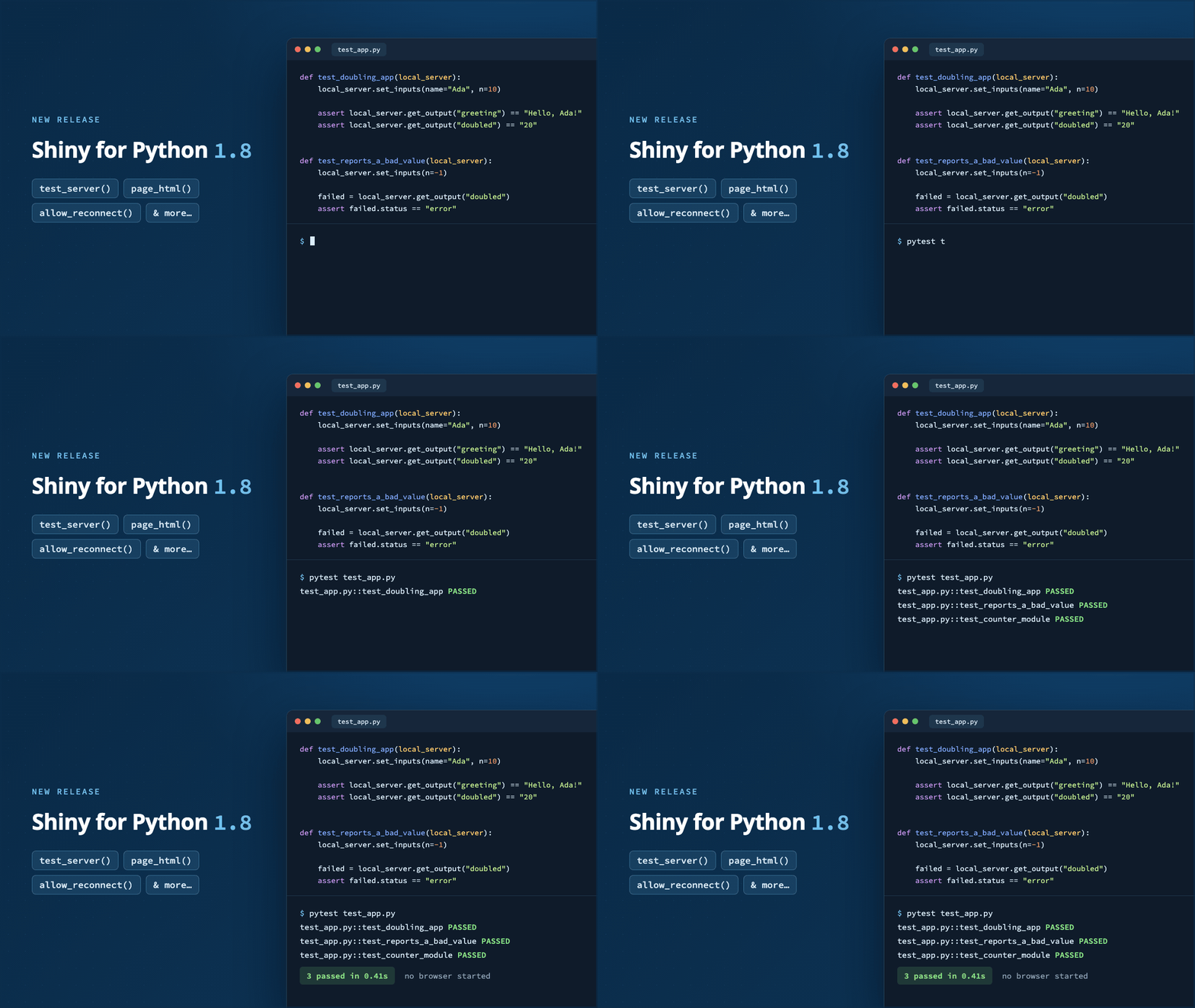
shiny::testServer()for years. Shiny for Python 1.8.0 addsshiny.testserver.test_server()and alocal_serverpytest fixture: name it as a test argument and you get a started session for theapp.pynext to the test file.def test_doubling_app(local_server): local_server.set_inputs(name="Ada", n=10) assert local_server.get_output("greeting") == "Hello, Ada!"set_inputs()returns once the reactive graph has settled, so the next line reads the result. No browser, no port, no polling. The React client is gone in this test. What you are asserting on is exactly the IDs-and-JSON contract, and the server half of a shinyreact app is testable without any of the client half existing. -
Server to client.
wire_tap()for shinytest2 andWireTapfor Playwright tap the websocket and assert on the shinyreact messages crossing it. -
Within the client. Ordinary JavaScript unit tests. Agent’s choice of runner.
-
Confirming the client. A
FEATURES.mdfile, a nested list of behaviors that you can read and another agent can verify against the running app.
That third hop is worth a beat. The JavaScript in the string had no tests and could not have had any. You cannot unit-test a string. Getting it into a file is what put it on this list at all.
In the wild#
None of this is theory anymore. Over the summer, Shiny intern Samuel Bharti built a shelf of bioinformatics Shiny apps, most of them plain shiny plus bslib with the UI written in R. The one that reached for shinyreact did so because the visualization demanded it.
Plotomics Live (source, DOI) is a 26-page gallery of GPU-accelerated genomics visualizations, from oncoplots to a one-million-point Xenium spatial view and a fully interactive 584,000-cell UMAP. Large data never goes through JSON. It moves as compact binary typed arrays straight to the GPU. Because React owns the component, a new selection updates the data in place: the visualization is never re-mounted, so GPU buffers are not reallocated on every click. That is the part you cannot get from an htmlwidget without writing the lifecycle yourself.
The R backend is 476 lines long, and exactly one of them touches the UI. Every page also falls back to a classic ggplot2 render off the same computation, and on the million-point view that fallback has to subsample. That contrast is the argument.
Samuel puts it better than I do: R stays the analysis engine, React becomes the visualization layer, and shinyreact removes what used to sit between them, the custom JS bindings, the manual message passing, the serialization.
What’s next#
- Embed React components into existing apps. Incremental adoption, so you don’t have to port your whole application to React.
- Wrap shinyreact in your own package. Build a component in shinyreact and ship it the way bslib and friends ship theirs.
Today, writing shinyreact apps will feel ad hoc. That is the tradeoff of a package this new.
Questions you are probably asking#
Is Node.js required? No, but highly recommended. TSX is far more readable than vanilla JavaScript, and a build system can lint and strongly type your code. The complaint about JavaScript in a string was never about JavaScript. It was that nothing could lint it, type it, or format it. A build step buys all three back.
How do I review generated code? Unit tests help with drift, but they confirm existing behavior. The logic you care about lives server-side. Review it, defend it, and write independent tests for it. I am comfortable delegating the UI busy-work to the model.
Can I keep my existing outputs? Yes. Use renderPlotly(), render.data_frame, and friends exactly as before, and pair them with <ShinyOutput id="..." /> in your React tree. The renderer’s JS and CSS dependencies are discovered and delivered automatically. Your React app becomes more about layout than about outputs.
What about my existing apps? Use the shinyreact-convert-app skill, or port one page at a time.
Does this work with modules and bookmarking? Yes. ShinyModuleProvider namespaces hook IDs to match a server module, and URL and server bookmarking seed the initial values of useShinyInput().
Recap#
- R / Python server processes data.
- Build the React client using an AI agent.
- Communicate using JSON and IDs.
Give it a try, and tell us what breaks:
- Docs: posit-dev.github.io/shinyreact
- Source and examples: github.com/posit-dev/shinyreact
- Slides: shinyreact: Building Custom Shiny UI with React from posit::conf(2026) (source)